Installation
Dependencies
BIP depends on a number of specific external libraries for running:
LibTIFF - TIFF Library and Utilities (https://libtiff.gitlab.io/libtiff/)
FFTW - Fastest Fourier Transform in the West (https://fftw.org/)
HDF5 - High-performance data management and storage suite (https://www.hdfgroup.org/solutions/hdf5/)
yaml-cpp - A YAML parser and emitter in C++ (https://github.com/jbeder/yaml-cpp)
If you plan to run PlantSeg training and prediction operators through BIP, you must install Miniconda and PlantSeg. Please refer to PlantSeg installation instructions.
Linux installation: Ubuntu 22.04
Installing the dependencies
You need super-user rights to install the required dependencies. We assume here you are under the Ubuntu linux distribution, and that you are listed in the sudo-ers.
Install LibTIFF:
sudo apt install libtiff5
Install FFTW:
sudo apt install libfftw3-dev
Install HDF5:
sudo apt install libhdf5-103-1 libhdf5-cpp-103-1
Install yaml-cpp:
sudo apt install libyaml-cpp0.7
Copying the executable at the right place
Download the distributed BIP executable from the website. Save the file in a directory, typically $HOME/bin. We recommend to use a directory that is included in your $PATH environment variable. This way, you can access BIP from any location on your system without having to type the full access path to the executable file.
The $HOME/bin directory is generally already listed in the $PATH environment variable. If not, you can add the following lines to your $HOME/.profile hidden file:
# set PATH so it includes user's private bin if it exists
if [ -d "$HOME/bin" ] ; then
  PATH="$HOME/bin:$PATH"
fi
Simplifying the executable filename
You can remove the date from the executable filename (this is strongly recommended, unless you have some specific reasons not to do so). This can be done through the graphical user interface of the file navigator, or from a terminal, from example:
cd ~/bin
mv bip-2025.09.05 bip
Checking and setting execution rights
Check that you have executable permissions on the BIP file. This can be done from the file navigator, by right-clicking on the file and then going into the Permissions tab, clicking "Allow execution" (under Ubuntu). Alternatively, this can be done by opening a terminal, going into the directory where BIP is installed, and entering the command:
chmod a+x bip
To check that the installation is correct, open a terminal and simply enter:
bip
The command should display BIP usage and the list of available operators.
Linux installation: Ubuntu 24.04
The procedure is the same as above, except you have to replace libtiff5 by libtiff6, and libyaml-cpp0.7 by libyaml-cpp0.8.
Windows installation
Create the installation folder
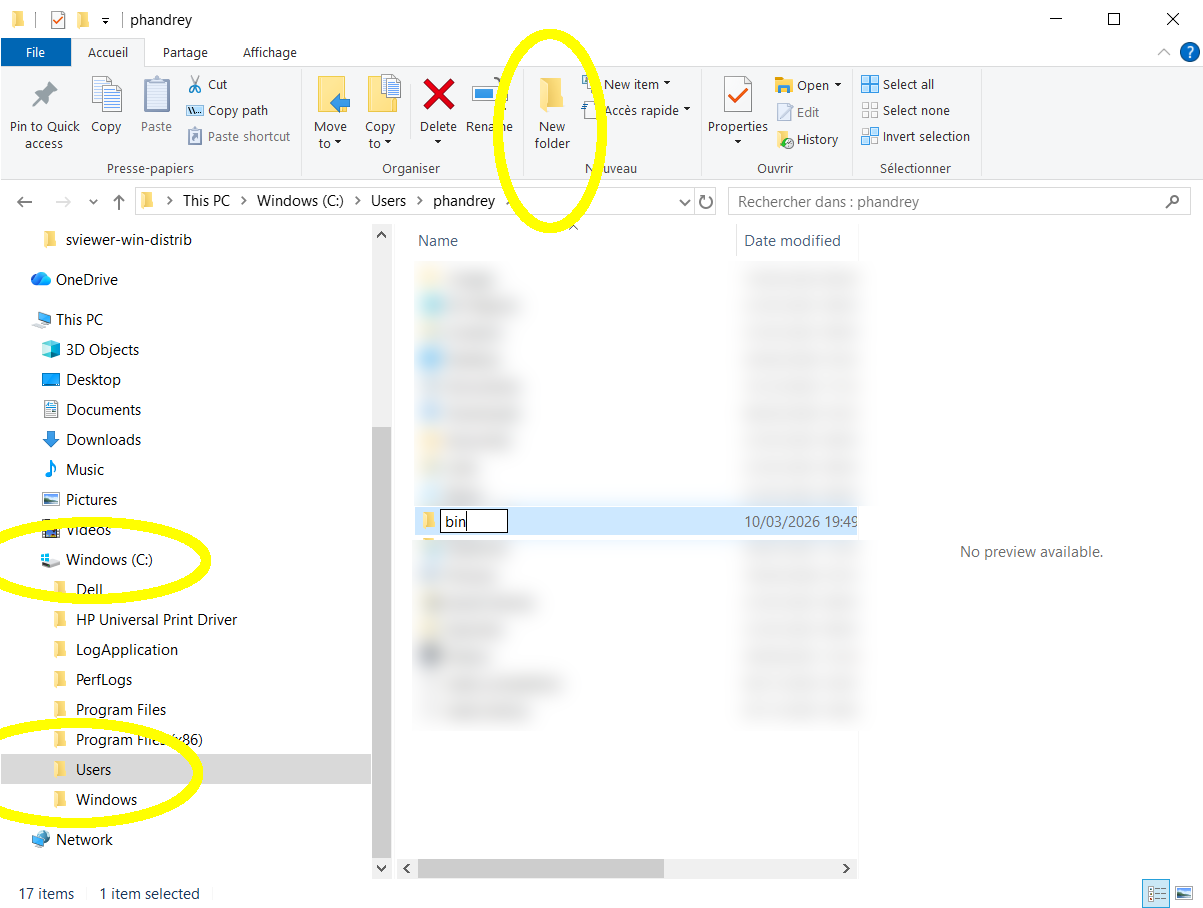
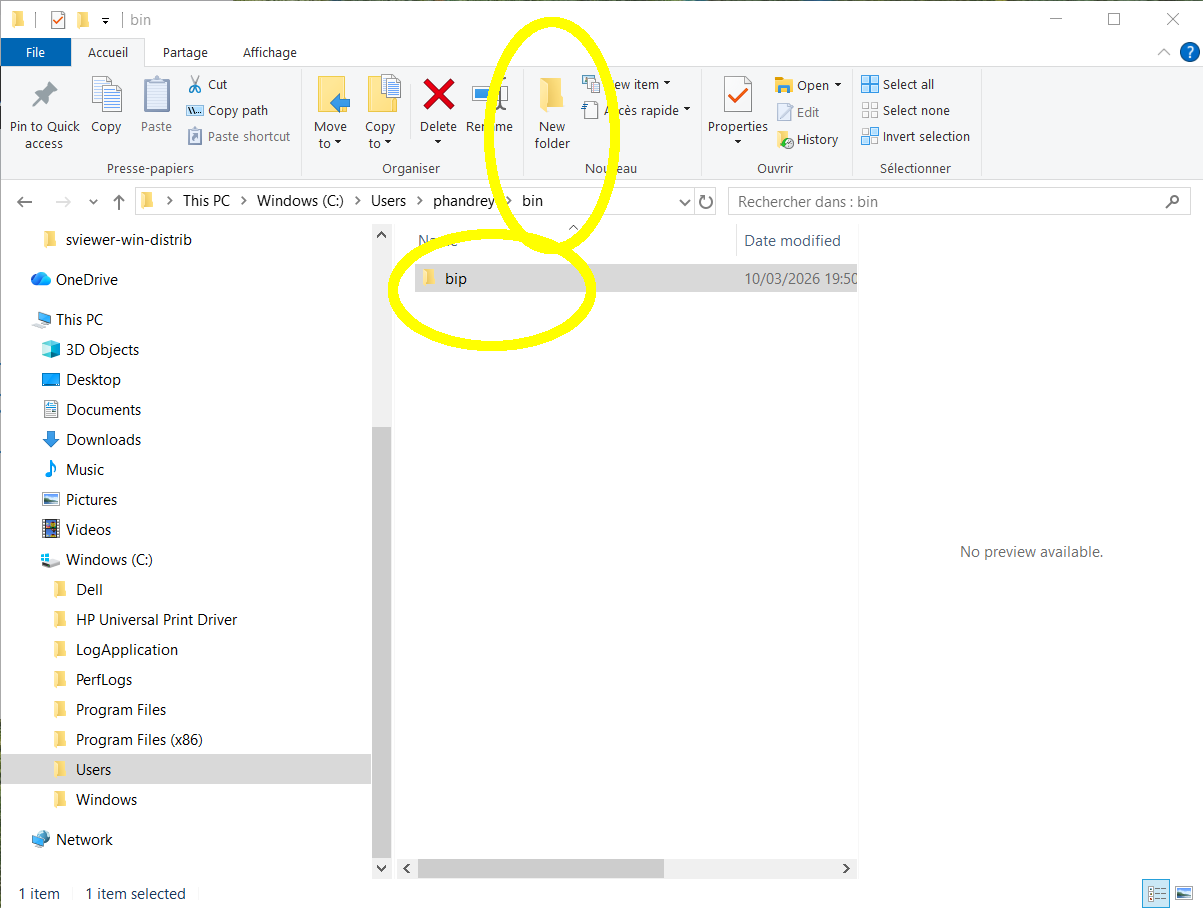
In the file explorer, choose the local disk C:, Users, your username and then create a new bin folder. In this folder, create a bip sub-folder.
Install BIP
- Download BIP from
Unzip the downloaded file and place its contents (a folder named
bip-YYYY.MM.DDcontainingbip.exe) into thebinfolder you created in your accountrename the folder
bip-YYYY.MM.DDtobip
Note: Step 3 can be omitted; in this case, just remember to add the complete folder name (bip-YYYY.MM.DD) in the PATH environment variable below.
Modify your PATH environment variable
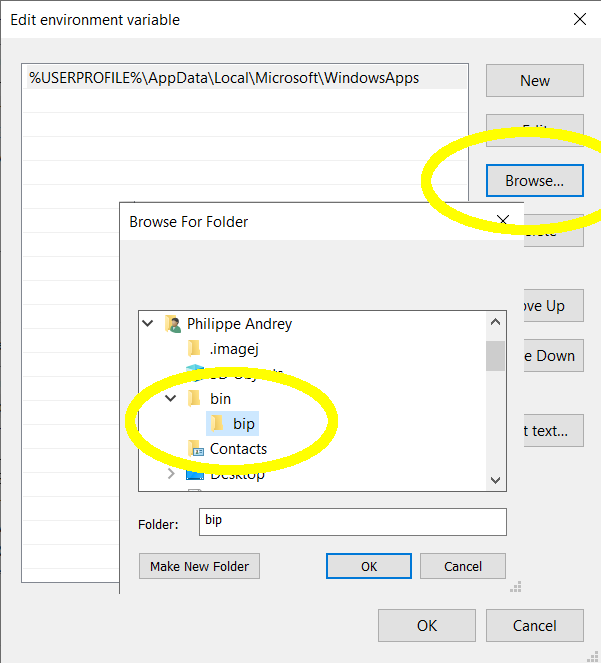
To access BIP executable from any location on your system, you must add the path to your bin/bip directory to your PATH environment variable:
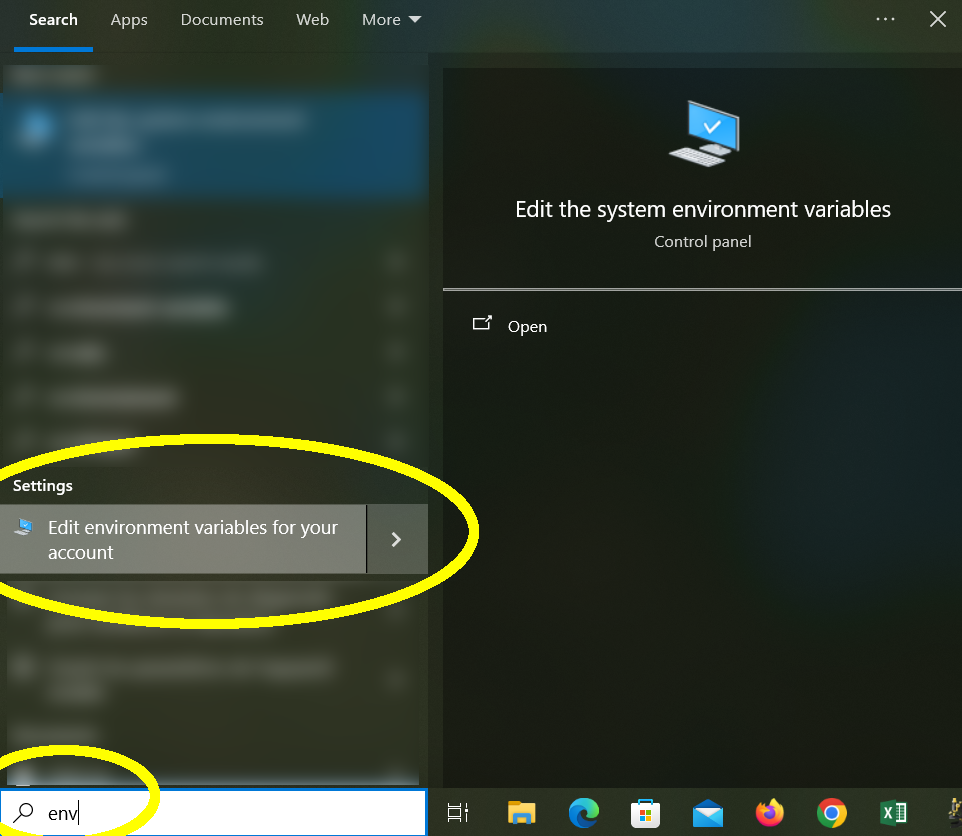
Enter
envin Windows search bar and select the tool to edit the environment variables for your account (if you have administration rights, you can of course also do that system-wide, so that it applies for all accounts on the machine);Select the
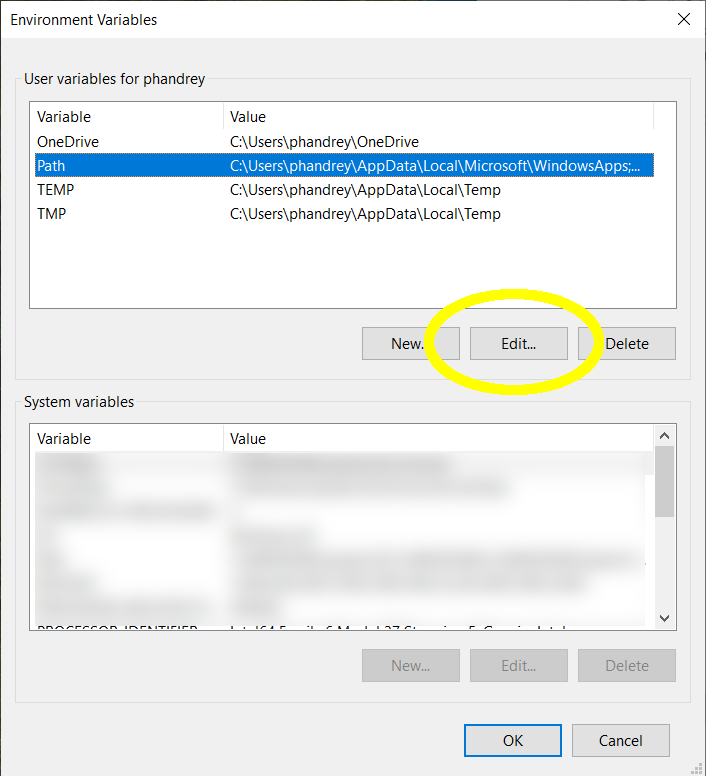
Pathvariable and clickEdit…;Click
Browse…and select the path to the folder containing the BIP executable. Then clickOKto close the three dialog boxes you have opened.
Install Cmder (console emulator)
Once installed, BIP can be invoked from the basic Windows console, or from PowerShell. However, we recommend installing an other console emulator called Cmder:
Download
cmder_mini.zipfrom https://cmder.appUnzip the downloaded file into the
binfolder you created above
You should now see in bin a folder called mini_zip containing cmder.exe.
Check installation
Open Cmder (cmder.exe), select a bash console and enter:
bip
The command should display BIP usage and the list of available operators.